TABLE OF CONTENTS
We’ve introduced a new feature in the Blys Pro App that allows you to select your preferred map application for navigation when viewing booking locations.
This update gives you more flexibility and control over how you navigate to your appointments, making it easier to use the map app you’re most comfortable with.
What this feature does?
When you tap on a booking location in the Blys Pro App, you can now choose which navigation app you’d like to open the address in.
You can select from supported map apps installed on your device, such as:
- Google Maps
- Apple Maps
- Waze
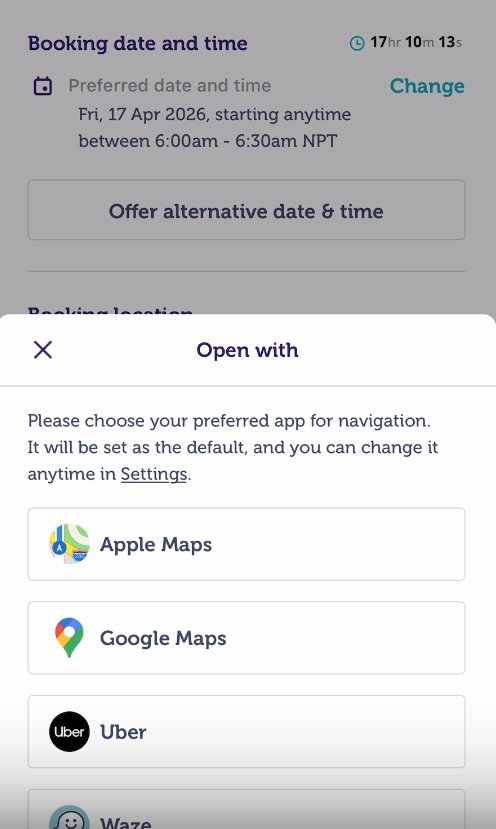
Once selected, the app will open the location directly in your chosen navigation app.
How to set your preferred map app?
To set or change your preferred navigation app:
- Open the Blys Pro App
- Go to Account
- Tap Settings
- Select Preferred Map App
- Choose your preferred navigation app from the list
Your selection will be saved automatically and used the next time you navigate to a booking location.
Changing your preference
You can update your preferred map app at any time by repeating the steps above. The change will apply immediately to future navigation actions.
Important notes
- If your selected map app is not installed on your device, you may be prompted to download it.
- If no preference is set, your device’s default map app will be used.
- This setting only affects navigation from booking locations inside the Blys Pro App.
If you’re having issues with navigation or your preferred map app not appearing correctly, try:
- Updating your Blys Pro App
- Checking that your map app is installed and updated
- Reinstalling the Blys Pro App if needed
For further support, please contact the Blys Support team How can I contact Blys?